paperpress documentation
A small, focused brand-aware document API for AI agents. Detect any company's brand from a URL, render markdown into a branded PDF, in one HTTP call.
Quick start
Two curls. The second one renders markdown into a PDF branded with Halliburton's colors, logo, and typeface, all from one HTTP call.
# 1. Request a key. It's emailed to you.
curl -X POST https://paperpress-production.up.railway.app/auth/register \
  -H "Content-Type: application/json" \
  -d '{"email":"you@example.com"}'
# → { "sent": true }

# 2. Render markdown branded to halliburton.com.
curl -X POST https://paperpress-production.up.railway.app/v1/documents \
  -H "Authorization: Bearer pp_live_..." \
  -H "Content-Type: application/json" \
  -d '{
    "markdown": "# Q4 Field Performance\n\nField revenue **+14% YoY**.",
    "title": "Q4 Review",
    "theme": "executive",
    "brandFromUrl": "https://halliburton.com"
  }'
# → { "url": "https://.../pdf/doc_...?exp=…&sig=…", "pages": 1, "renderTimeMs": 115 }
The response url is a signed link to the rendered PDF. It works for 7 days, then expires. Anyone with the URL can read the PDF (it doesn't require the API key).
Cold cache: first call to a new URL pays ~2-3s for paperpress to navigate the site and extract the brand. Warm cache: subsequent calls within 24h skip detection and return in well under a second.
Get an API key
There's one endpoint: POST /auth/register. You give it an email, the key arrives by mail.
curl -X POST https://paperpress-production.up.railway.app/auth/register \
  -H "Content-Type: application/json" \
  -d '{"email":"you@example.com"}'
Response is always 202 { "sent": true }, whether the email was new or already registered. The 202 deliberately doesn't reveal whether a given email is in our system.
First time: a user is created with 100 free credits and a key is emailed.
Already registered: a fresh key is emailed. Previously-active keys keep working for 24 hours (the grace window), then are revoked. This is how you rotate: hit /auth/register again, update your config from the new email, the old key dies a day later.
The key looks like pp_live_<24 random bytes> and is 192 bits of entropy. Treat it like a password.
Render a PDF
POST /v1/documents with markdown in the body. The request blocks until the PDF is ready (typically 100-400ms for a small document, plus ~2s the first time you use a new brandFromUrl). You get back a signed URL.
curl -X POST https://paperpress-production.up.railway.app/v1/documents \
  -H "Authorization: Bearer pp_live_..." \
  -H "Content-Type: application/json" \
  -d '{
    "markdown": "# Q2 Review\n\nRevenue **up 18%**.\n\n## Risks\n\n| Area | Severity |\n|---|---|\n| EU data | Medium |",
    "title": "Q2 Review",
    "theme": "executive",
    "brandFromUrl": "https://stripe.com"
  }'
{
  "id": "doc_abc123",
  "url": "https://paperpress-production.up.railway.app/pdf/doc_abc123?exp=1779379386&sig=4d894cf...",
  "pages": 1,
  "bytes": 47311,
  "creditsUsed": 1,
  "creditsRemaining": 99,
  "renderTimeMs": 275
}
Fields
| Field | Type | Default | Notes |
|---|---|---|---|
markdown |
string, ≤500 KB | required | GitHub-flavored markdown. Headings, lists, tables, code blocks, blockquotes, autolinks, task lists. |
title |
string, ≤200 | empty | Used in PDF metadata and the page header (if a brand kit is set). |
theme |
enum | clean |
One of clean, executive, academic, technical, marketing. See Themes. |
brandFromUrl |
URL, ≤2048 | none | Detect a brand kit from this URL and apply it. 24h-cached per URL. Composes with brandKit (inline fields override detected ones). |
brandKit |
string | object | none | A saved kit's name, or an inline object. See Brand kits. |
css |
string, ≤50 KB | none | Raw CSS appended after theme + brand kit. Escape hatch. Cannot contain <style> or <script> tags. |
format |
enum | A4 |
A4, Letter, or Legal. |
landscape |
boolean | false |
Limits
- Markdown body: 500 KB max
- CSS body: 50 KB max
- Total request body: 2 MB max
- Render time: 30 seconds max
- Pages per render: 200 max (413 if exceeded; not billed)
- Rate limit: 60 requests per minute, per API key
Themes
Five built-in themes. Each tuned for a different document type. Click any thumbnail to open the rendered PDF.
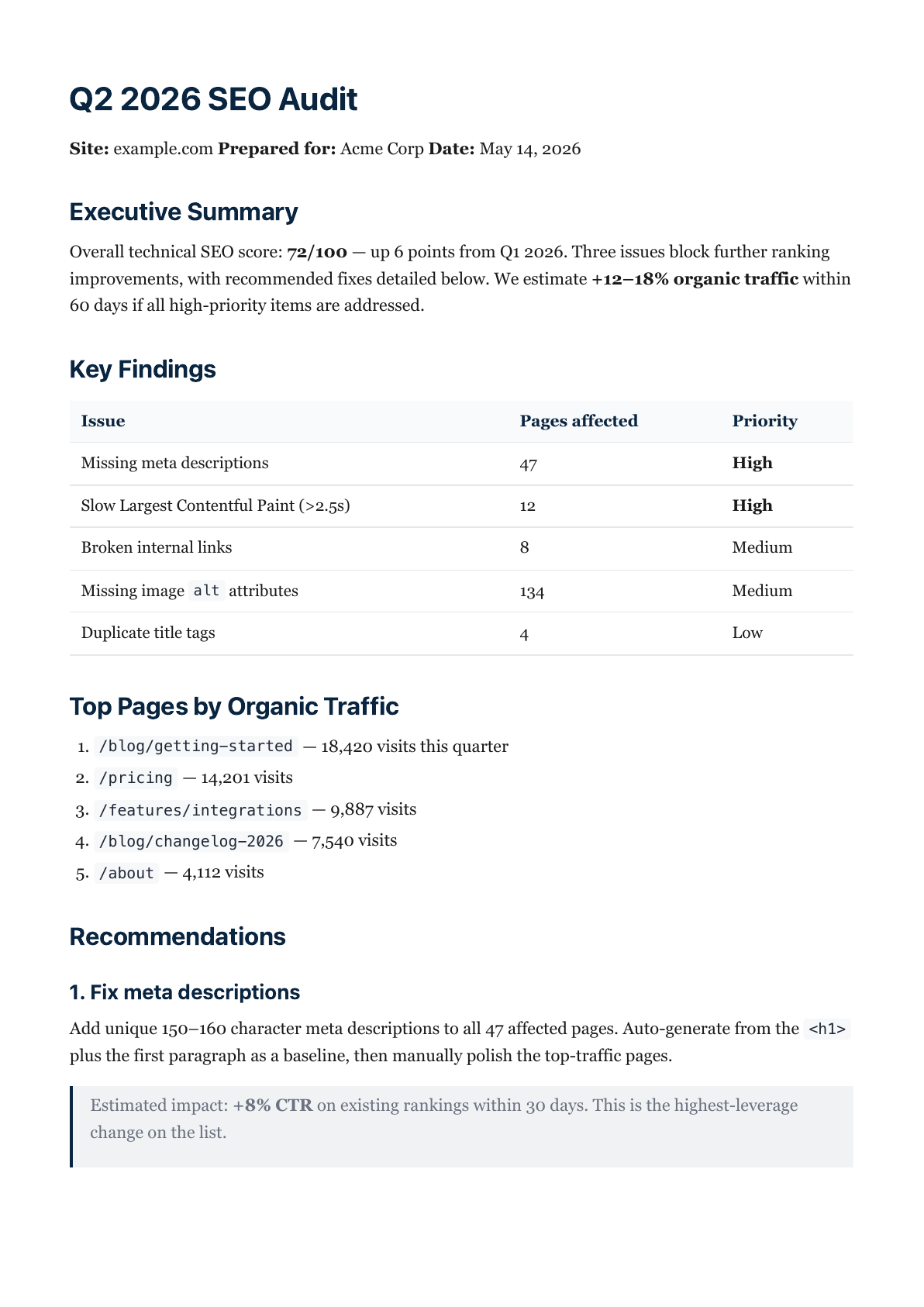 clean
general reports · balanced serif/sans
clean
general reports · balanced serif/sans
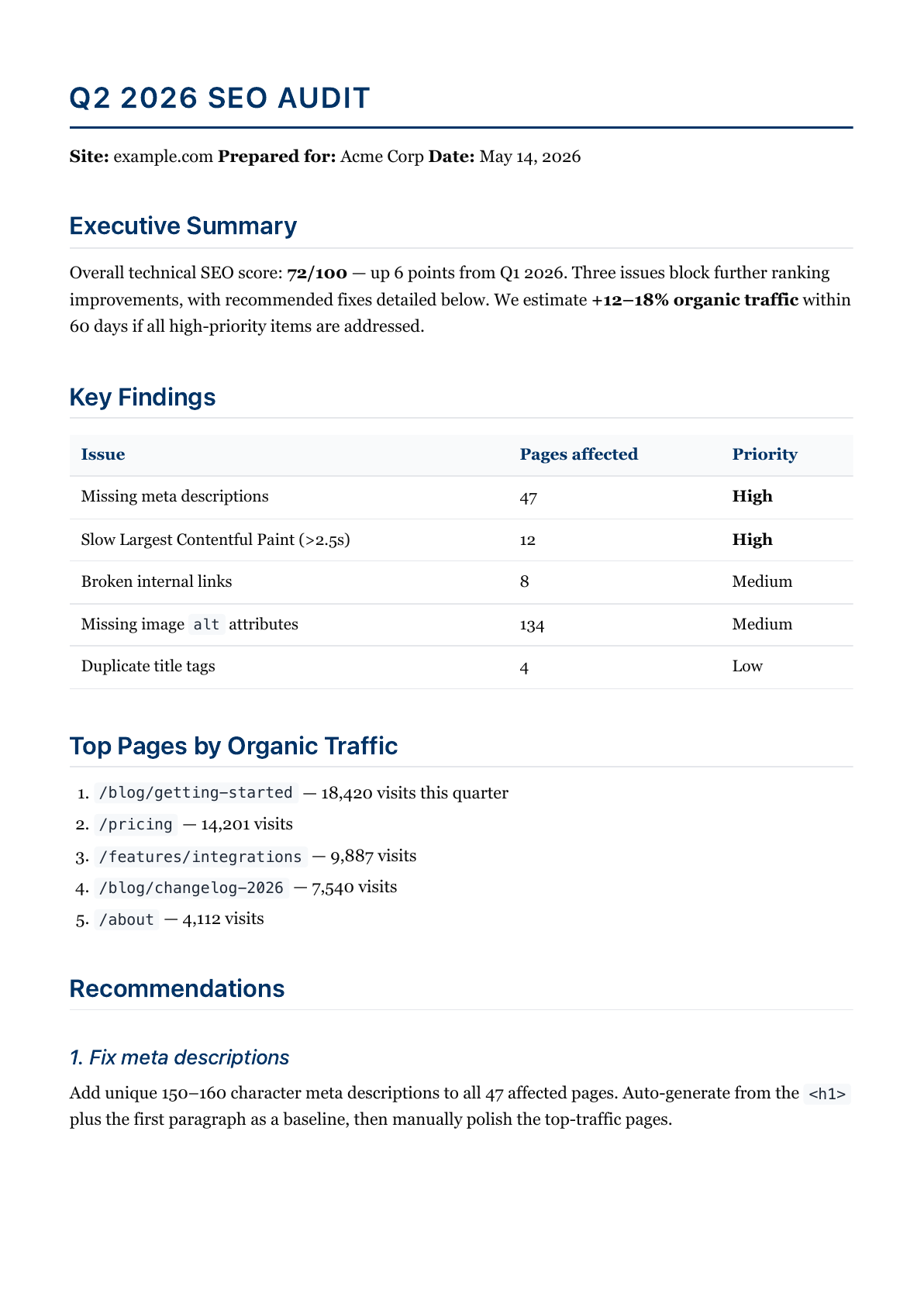 executive
board decks · corporate navy
executive
board decks · corporate navy
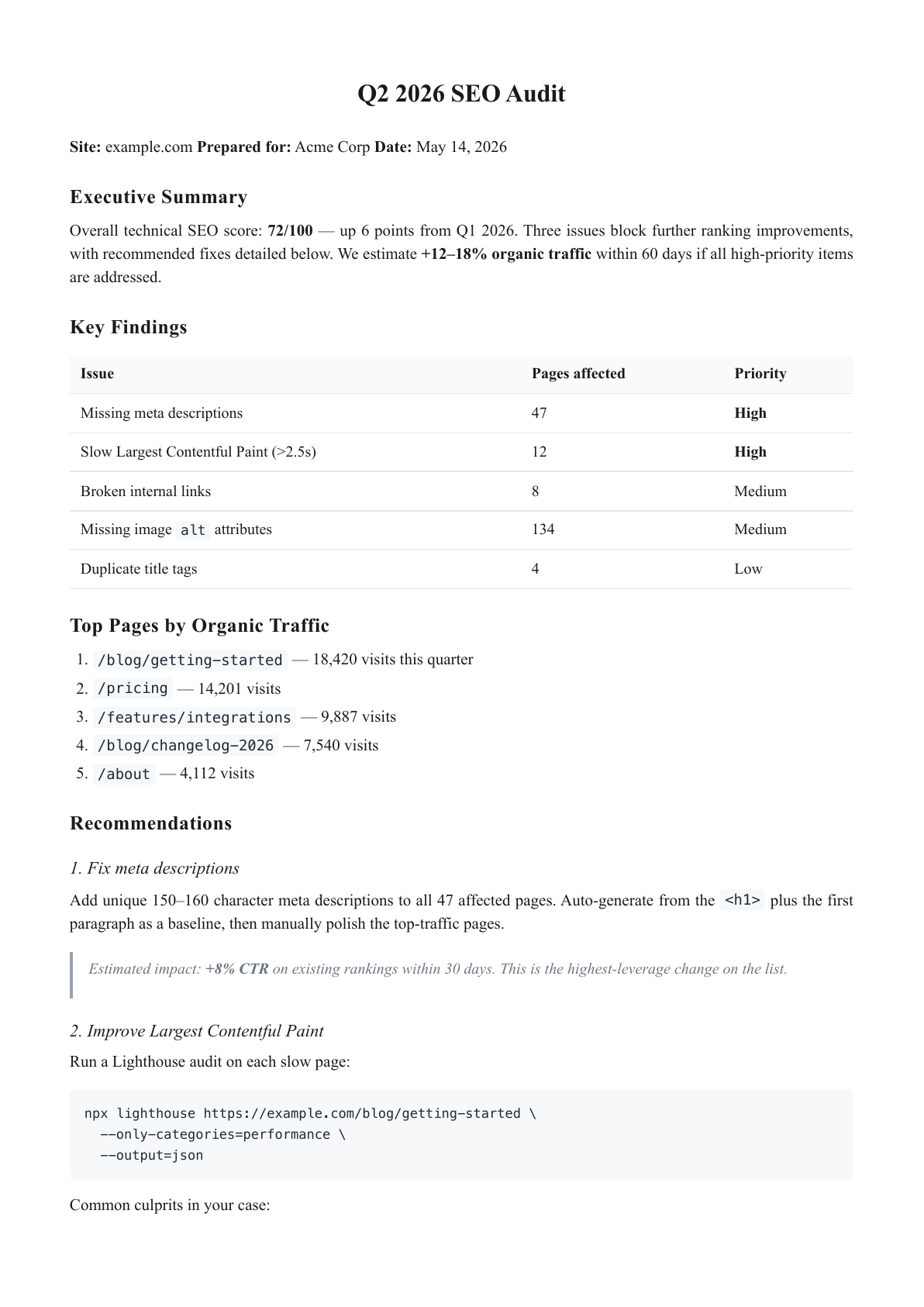 academic
research papers · serif, justified
academic
research papers · serif, justified
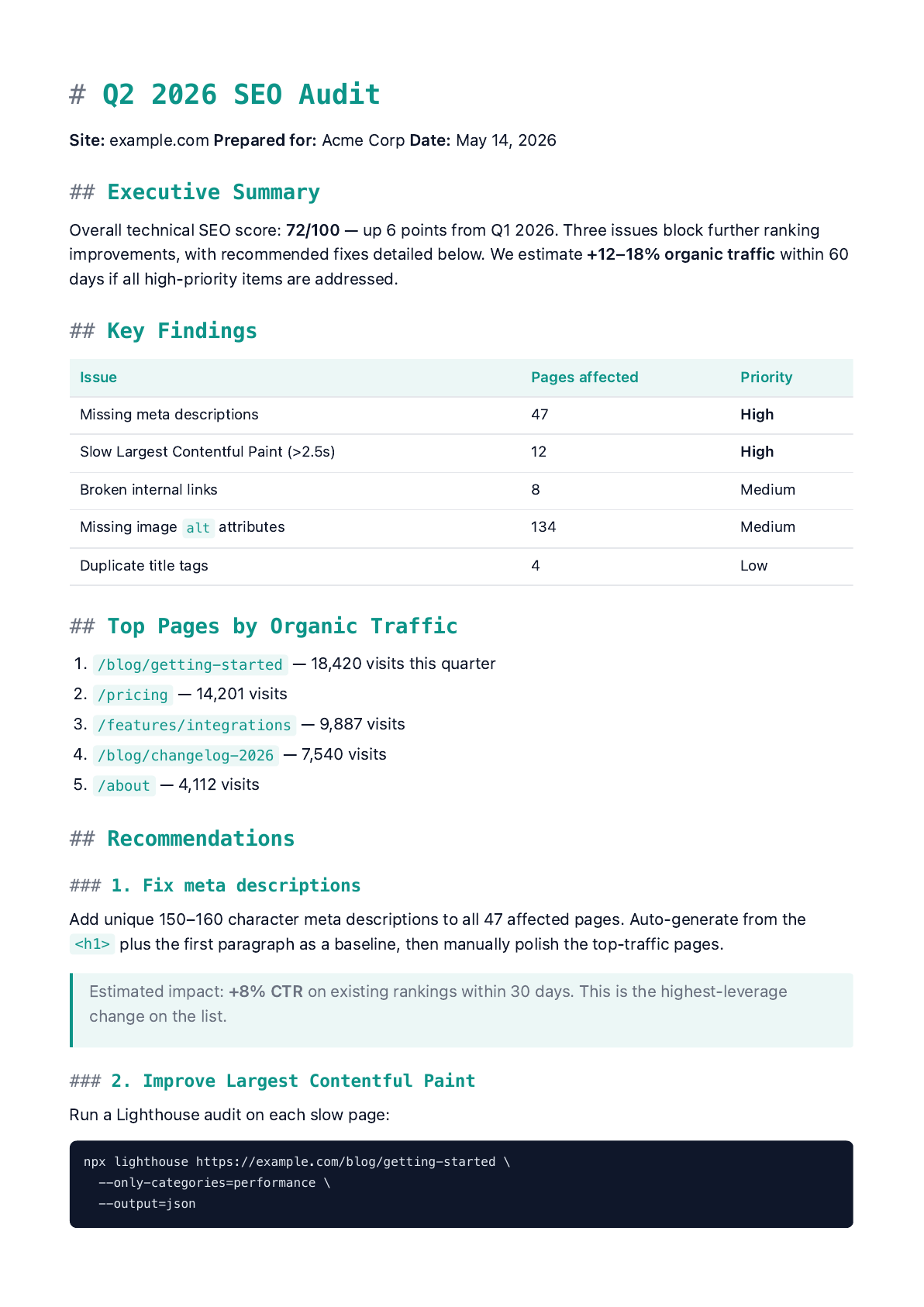 technical
API docs · sans body, mono headings
technical
API docs · sans body, mono headings
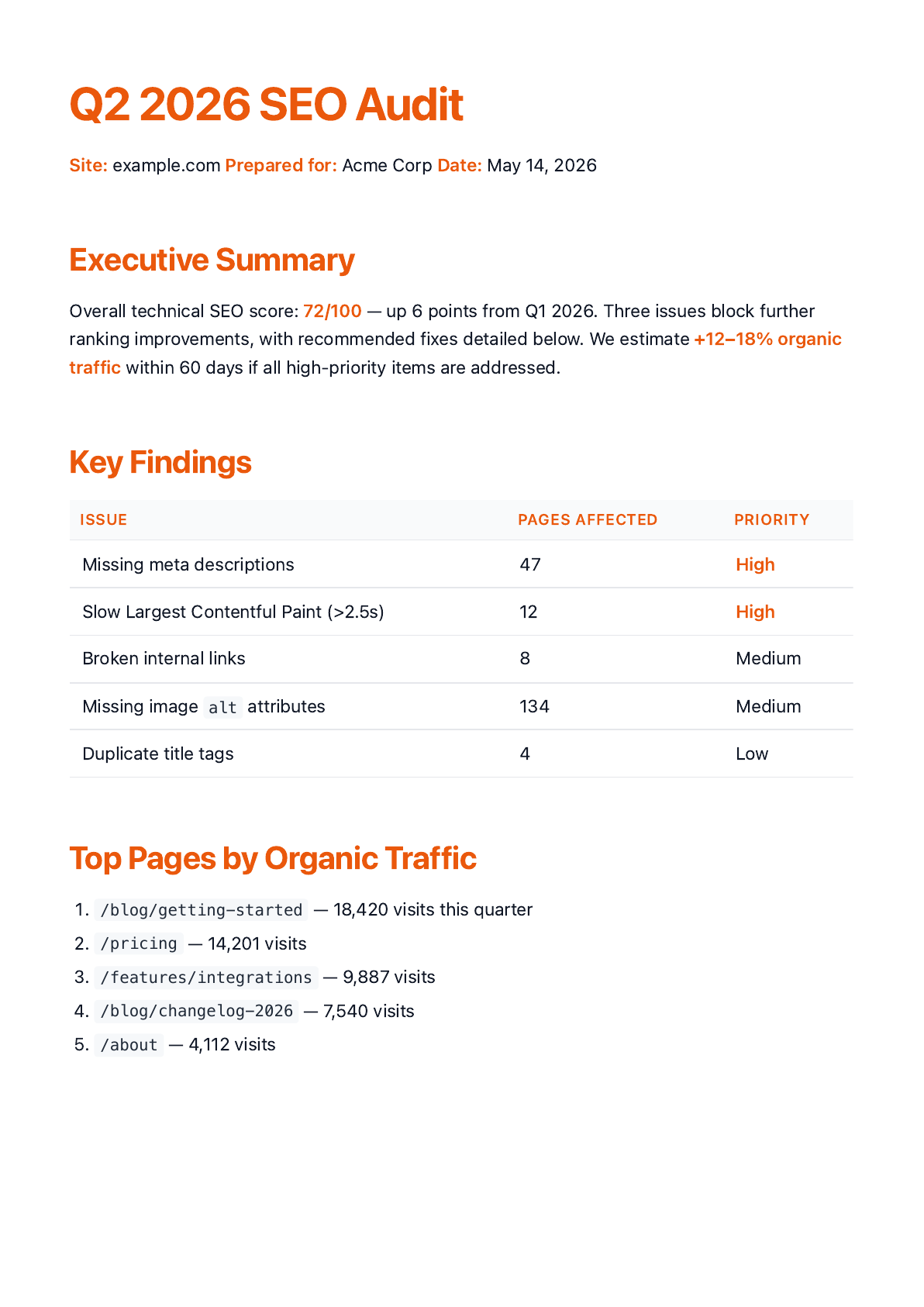 marketing
pitch decks · big sans, vivid accent
marketing
pitch decks · big sans, vivid accent
All five samples above were rendered from the same sample.md. The choice of theme is the only thing that changed.
Brand kits
A brand kit is a small object describing how a brand looks. Set it once, every rendered PDF matches.
| Field | Type | Notes |
|---|---|---|
logoUrl |
URL | Appears in the page header. Must be a public HTTP/HTTPS image URL. Inlined as a data URL so the header renders deterministically. |
primaryColor |
#RRGGBB |
Page-header bar, h1 color, table-header accents. When the color is too light to use as text on a near-white page (WCAG luminance ≥ 0.5), paperpress keeps it as a brand token but falls back to theme defaults for type to keep headings readable. |
accentColor |
#RRGGBB |
Links, highlight blocks. |
fontFamily |
CSS font-family stack | e.g. "Söhne, SF Pro Display, sans-serif". Wins over fontStyle. paperpress falls back through the stack when a named font isn't installed in Chromium. |
headingFontFamily |
CSS font-family stack | Optional separate stack for headings. Falls back to fontFamily. |
fontStyle |
serif | sans | mono |
Coarse bucket. Used if fontFamily isn't set. |
density |
compact | normal | spacious |
Vertical rhythm: tighter or looser line and paragraph spacing. |
You can also set baseTheme (which theme to layer the kit on) and customCss (extra CSS applied last) on saved kits.
Three ways to apply a kit
brandFromUrl— easiest. Pass a URL on the render call; paperpress detects and applies. 24h-cached.- Inline
brandKitobject — pass the fields directly. Useful for one-offs. - Saved
brandKitby name — store a kit once, reference it by name on each render.
The three sources compose. If both brandFromUrl and an inline brandKit are present, the inline fields override the detected ones. A saved kit (referenced by name) replaces a brandFromUrl-detected base — explicit caller intent wins.
Inline kit
curl -X POST https://paperpress-production.up.railway.app/v1/documents \
  -H "Authorization: Bearer pp_live_..." \
  -H "Content-Type: application/json" \
  -d '{
    "markdown": "# Hello",
    "theme": "executive",
    "brandKit": {
      "primaryColor": "#533afd",
      "logoUrl": "https://example.com/logo.png",
      "fontFamily": "Söhne, SF Pro Display, sans-serif"
    }
  }'
Saved kit
# Create / update
curl -X POST https://paperpress-production.up.railway.app/v1/brand-kits \
  -H "Authorization: Bearer pp_live_..." \
  -H "Content-Type: application/json" \
  -d '{
    "name": "default",
    "primaryColor": "#0a2540",
    "logoUrl": "https://example.com/logo.png",
    "fontFamily": "Inter, sans-serif"
  }'

# Use it on a render
curl -X POST https://paperpress-production.up.railway.app/v1/documents \
  -H "Authorization: Bearer pp_live_..." \
  -H "Content-Type: application/json" \
  -d '{"markdown":"# Hi","brandKit":"default"}'
Other kit endpoints: GET /v1/brand-kits (list), GET /v1/brand-kits/:id (read), DELETE /v1/brand-kits/:id.
brandFromUrl shortcut
The fastest path. Skip the two-step detect-then-render entirely.
curl -X POST https://paperpress-production.up.railway.app/v1/documents \
  -H "Authorization: Bearer pp_live_..." \
  -H "Content-Type: application/json" \
  -d '{"markdown":"# Q4","brandFromUrl":"https://halliburton.com"}'
paperpress detects the brand, applies it, returns the PDF — all in one HTTP call. Repeats against the same URL within 24h hit cache and skip the navigation cost.
URL auto-detect
If you want the detected brand kit without rendering — e.g. to inspect, save, or modify before applying — call the detect endpoint directly.
POST /v1/brand-kits/detect reads brand signals from a live URL: primary color, logo, and the real font-family stack from CSS.
curl -X POST https://paperpress-production.up.railway.app/v1/brand-kits/detect \
  -H "Authorization: Bearer pp_live_..." \
  -H "Content-Type: application/json" \
  -d '{"url":"https://stripe.com"}'
{
  "detected": {
    "sourceUrl": "https://stripe.com/",
    "primaryColor": "#533afd",
    "fontStyle": "sans",
    "fontFamily": "sohne-var, \"SF Pro Display\", sans-serif",
    "logoUrl": "https://images.stripeassets.com/.../favicon.png"
  }
}
Results are cached for 24 hours per normalized URL. Pass { "refresh": true } to bypass the cache and re-detect.
Batch detect
For prospect-enrichment workflows, pass up to 20 URLs at once. They run in parallel through the existing Playwright pool. Per-URL errors come back inline so a single failure never tanks the batch.
curl -X POST https://paperpress-production.up.railway.app/v1/brand-kits/detect-batch \
  -H "Authorization: Bearer pp_live_..." \
  -H "Content-Type: application/json" \
  -d '{"urls":["https://stripe.com","https://github.com","https://halliburton.com"]}'
{
  "results": [
    { "url": "https://stripe.com",     "ok": true, "detected": { "primaryColor": "#533afd", "fontFamily": "sohne-var, ..." } },
    { "url": "https://github.com",     "ok": true, "detected": { "primaryColor": "#1f883d", "fontFamily": "\"Mona Sans VF\", ..." } },
    { "url": "https://halliburton.com","ok": true, "detected": { "primaryColor": "#b92031", "fontFamily": "Univers, Arial, ..." } }
  ],
  "count": 3,
  "succeeded": 3,
  "elapsedMs": 2812
}
Detection takes ~1-3 seconds per URL on a cache miss (the page is loaded in a real browser). Cached URLs return instantly. Detection does not consume credits.
Below: the same sample.md, rendered with brand kits detected from four real sites. The detector scrapes meta tags, computed CSS, and favicons. Untouched — this is exactly what detect returns.
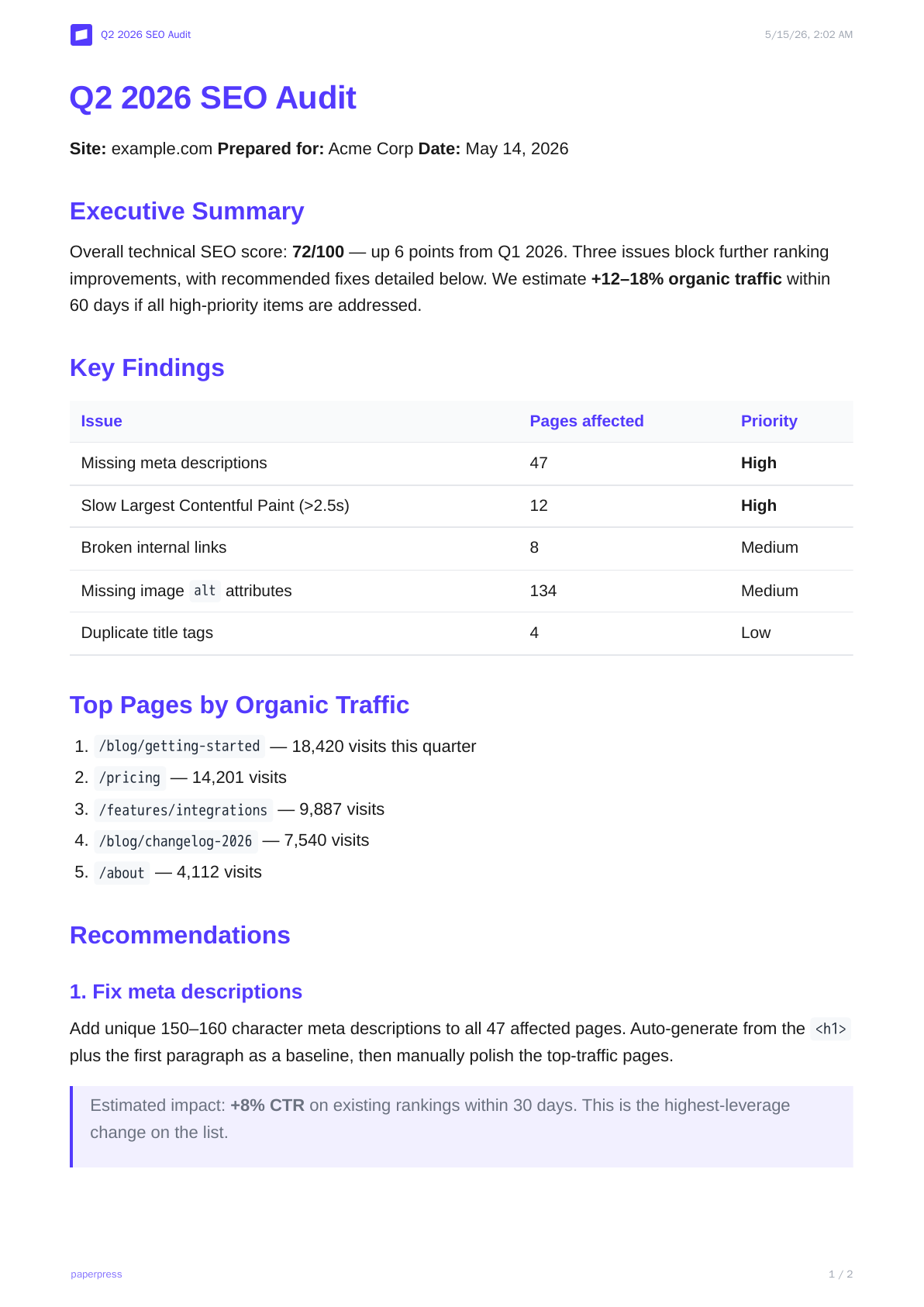 stripe.com
#533afd · sohne-var
stripe.com
#533afd · sohne-var
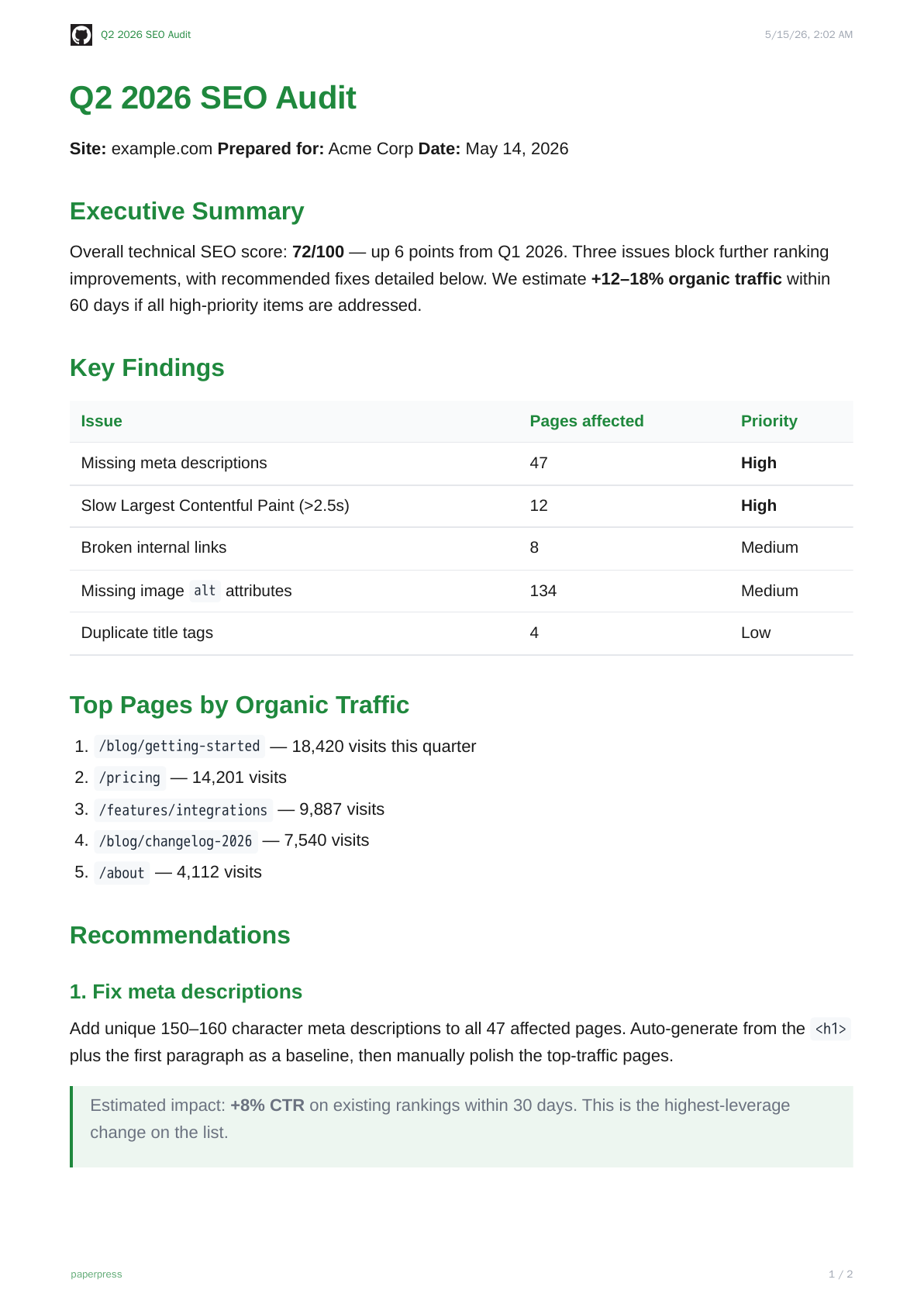 github.com
#1f883d · Mona Sans VF
github.com
#1f883d · Mona Sans VF
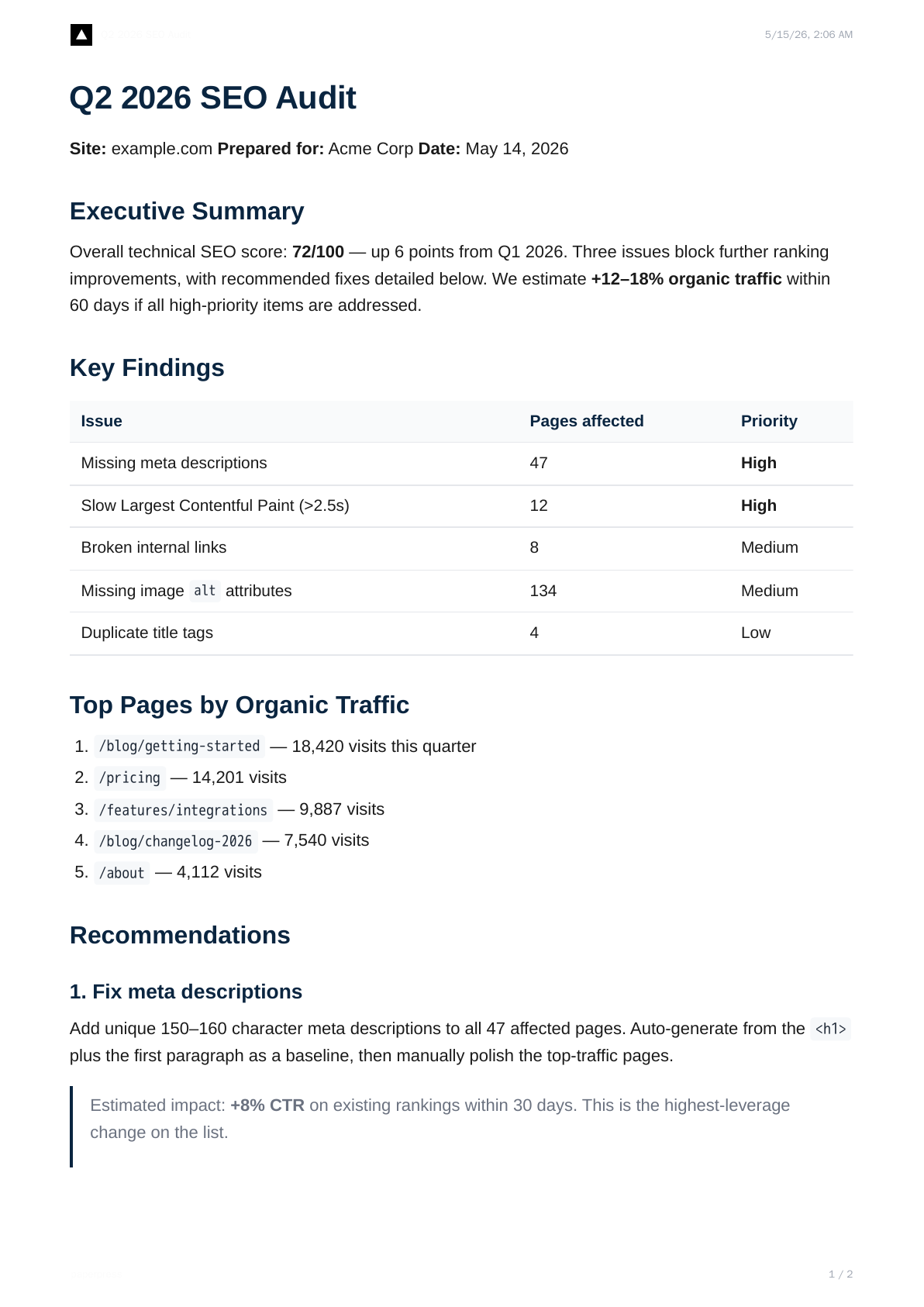 vercel.com
mono · Geist
vercel.com
mono · Geist
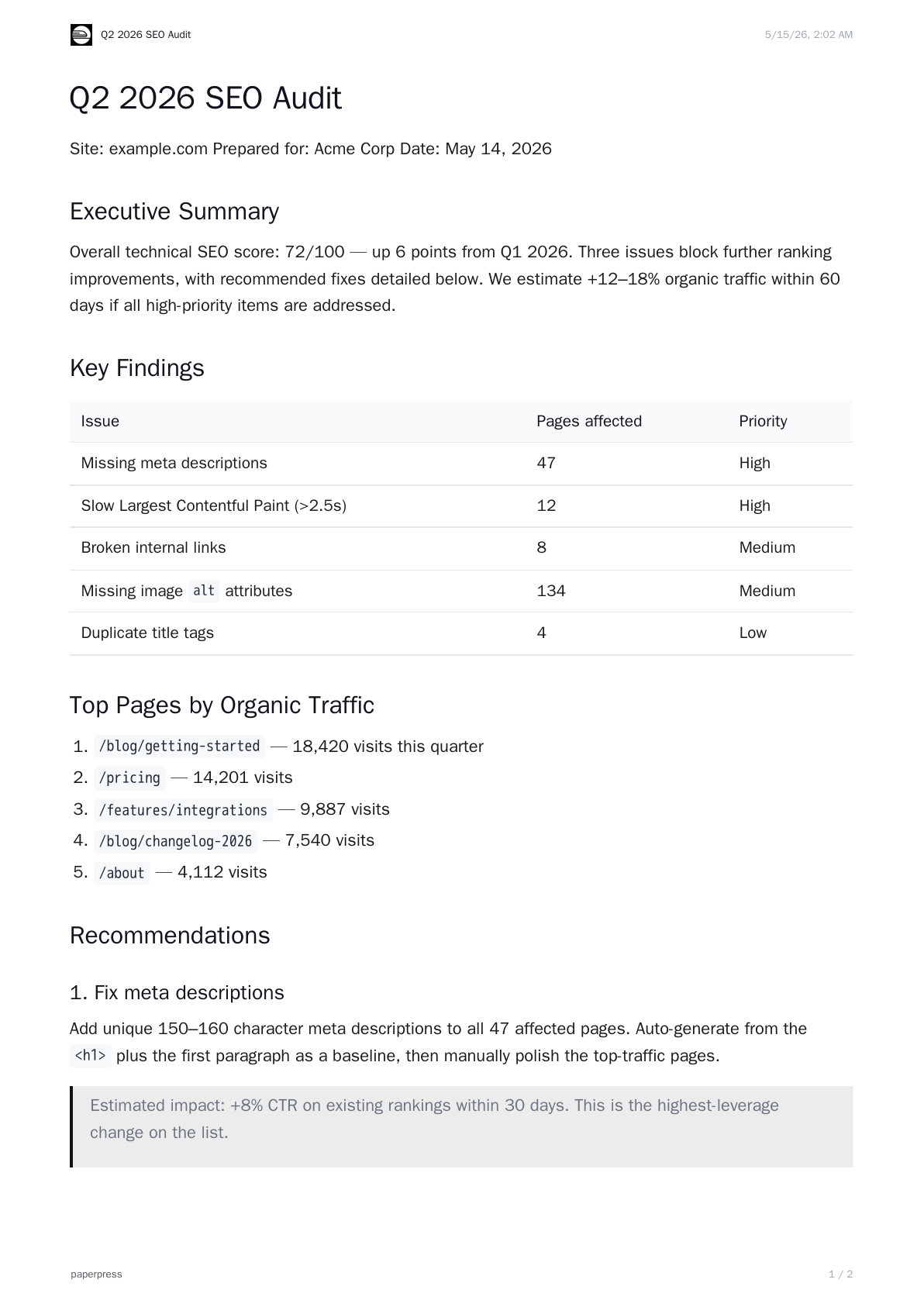 railway.com
#13111c
railway.com
#13111c
URLs that resolve to private addresses (RFC1918, loopback, link-local) are rejected with 400 private_address. The Chromium pool that does the navigation is the same one that renders PDFs — no separate infra.
MCP server
paperpress ships as an MCP server. Add one block to your AI client's config and the agent gets a generate_pdf tool.
Claude Desktop
Edit ~/Library/Application Support/Claude/claude_desktop_config.json (macOS) or %APPDATA%/Claude/claude_desktop_config.json (Windows):
{
  "mcpServers": {
    "paperpress": {
      "command": "npx",
      "args": ["-y", "@paperpress/mcp"],
      "env": {
        "PAPERPRESS_API_KEY": "pp_live_..."
      }
    }
  }
}
Restart Claude Desktop. The generate_pdf tool now shows up in the tools list.
Cursor
Edit ~/.cursor/mcp.json — same shape as above.
Cline, Continue, and other MCP clients
Same command / args / env block — every MCP-compatible client takes it.
Tool input
The agent passes you the same fields as the REST API:
markdown(required)title,theme,brandKit,brandFromUrl,css,format,landscape(all optional)
The tool returns a signed URL. Share, open, attach.
API reference
Base URL: https://paperpress-production.up.railway.app
All authenticated endpoints accept Authorization: Bearer pp_live_....
Auth
| Method | Path | What it does |
|---|---|---|
| POST | /auth/register |
Request a key by email. Always 202. |
Render
| Method | Path | Auth | What it does |
|---|---|---|---|
| POST | /v1/documents |
Bearer | Markdown → PDF. Returns signed URL. |
| GET | /pdf/:id?exp=&sig= |
signed URL | Stream the PDF. |
Brand kits
| Method | Path | Auth | What it does |
|---|---|---|---|
| POST | /v1/brand-kits |
Bearer | Create or update a kit by name. |
| GET | /v1/brand-kits |
Bearer | List your kits. |
| GET | /v1/brand-kits/:id |
Bearer | Read one kit. |
| DELETE | /v1/brand-kits/:id |
Bearer | Delete a kit. |
| POST | /v1/brand-kits/detect |
Bearer | Detect a kit from a URL. 24h-cached. |
| POST | /v1/brand-kits/detect-batch |
Bearer | Detect up to 20 URLs in parallel. |
Account
| Method | Path | Auth | What it does |
|---|---|---|---|
| GET | /account |
Bearer | Your email, credit balance, list of active keys. |
| GET | /health |
— | { "status": "ok" }. |
Errors and rate limits
All errors return JSON with an error code. Standard HTTP status semantics.
| Status | Code | Meaning |
|---|---|---|
| 400 | invalid_body |
Zod validation failed. The details field has specifics. |
| 400 | invalid_logo_url |
brandKit.logoUrl is not a public URL. |
| 400 | invalid_brand_from_url |
The brandFromUrl value isn't a valid public URL. |
| 401 | invalid_api_key |
Missing, malformed, or unknown bearer token. |
| 402 | no_credits |
Balance is zero before render starts. |
| 402 | insufficient_credits |
Render produced N pages but you only have M credits (M < N). PDF discarded. |
| 404 | not_found |
Brand kit ID, PDF ID, or admin record doesn't exist or isn't yours. |
| 404 | brand_kit_not_found |
Referenced saved kit doesn't exist. |
| 413 | too_many_pages |
Render produced more than MAX_PAGES_PER_RENDER (default 200). PDF discarded, not billed. |
| 429 | rate-limit response | 60 req/min per key. Headers x-ratelimit-* show your window. |
| 500 | render_failed |
Renderer crashed. message field has the underlying error. |
| 502 | detection_failed |
Detector hit an error loading the target site. |
| 502 | brand_from_url_failed |
Inline detect during a render call failed. |
Signed URL expiry
The url in a render response is HMAC-signed and includes exp (unix timestamp) and sig. Default TTL is 7 days. After expiry, the URL returns 410. The PDF or PNG file itself stays on disk and is reachable through the admin surface (if applicable), so expiry is not the same as deletion.
Pricing
One model: credits. One credit per rendered page.
| New user signup | 100 credits, free, no card |
| Top-up pack | $10 for 1,200 credits |
| Effective rate | $0.0083 per page / image |
| Expiry | Credits don't expire |
POST /v1/brand-kits/detect and /v1/brand-kits/detect-batch are free — detection doesn't consume credits.
Credit packs and Stripe checkout land soon. Until then the free tier is enough to evaluate; email hello@paperpress.dev if you need more during beta.